
Power Backup
SSH + rsync backups, from your menu bar.
A tiny macOS app that takes scheduled snapshots of your servers — with pre-backup hooks, retention, and readable logs.
SSH + rsync backups, from your menu bar.
A tiny macOS app that takes scheduled snapshots of your servers — with pre-backup hooks, retention, and readable logs.
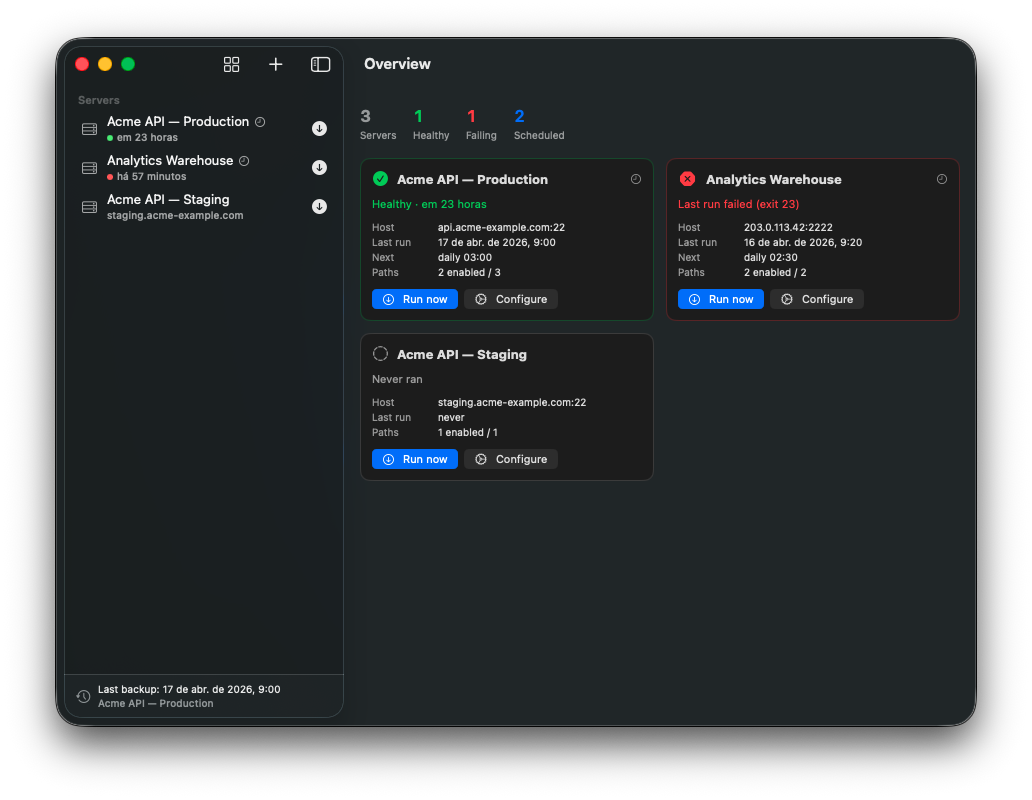
Lives in the system menu bar. One click to run, check status, or open logs. No dock clutter.
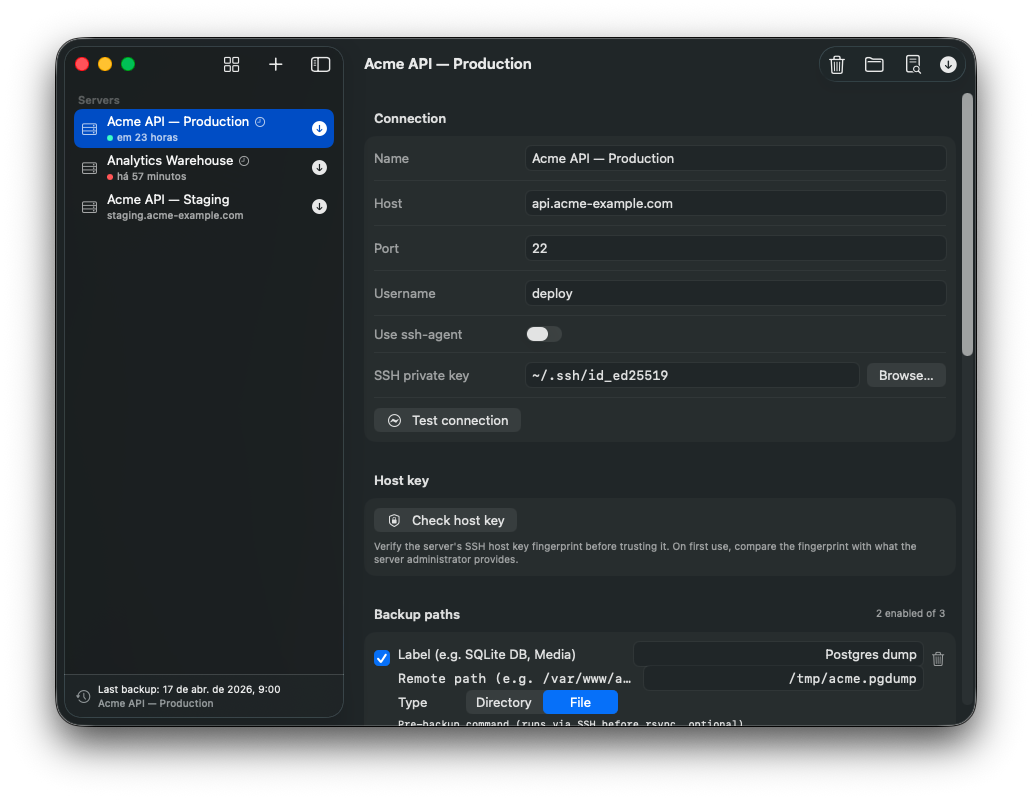
Standard, boring, reliable. Uses your existing SSH keys or ssh-agent. Per-server port, user, key.
Run a remote command before each path — dump Postgres, snapshot SQLite, flush a cache — then rsync the output.
Per-server daily time, installed as a user LaunchAgent. Missed runs fire on next login.
Keep the last N date-stamped backups per server. Older folders are pruned automatically after a successful run.
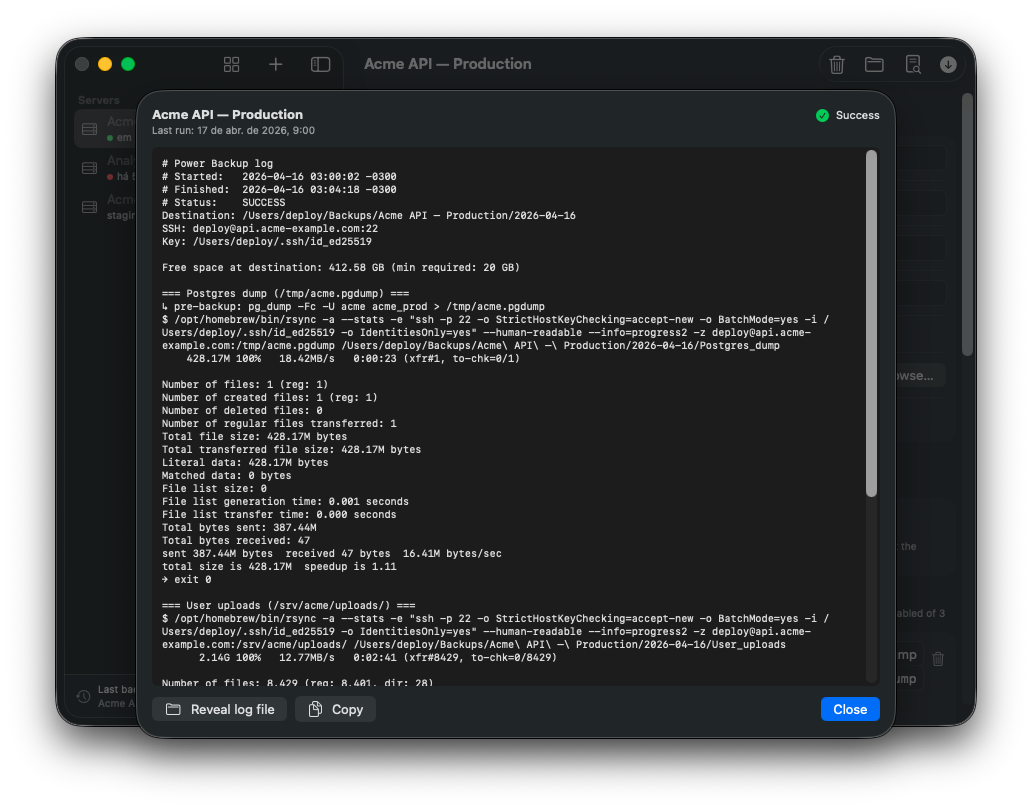
Every run writes a human-readable log. Errors are highlighted, progress is preserved, and you can copy it in one click.
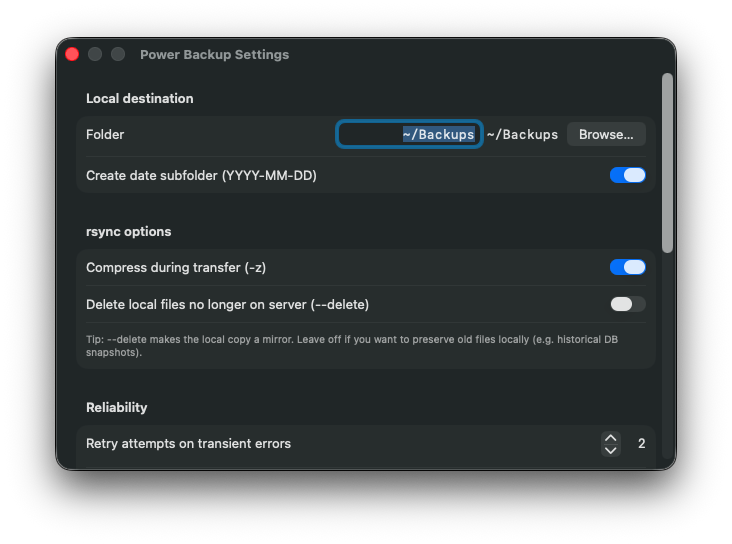
Four screens, no surprises.
Version 0.0.2 · macOS 14 or later
.dmg and drag Power Backup into Applications.xattr -dr com.apple.quarantine "/Applications/Power Backup.app" in Terminal.